Artifact calibration record
13 / 13Colosseum in Travertine
Roman arches, etched stone and terracotta light bring the Colosseum into a warm architectural workspace.
Compatibility proof
- DSH package
- 0.1.3-alpha.1
- Token fingerprint
- fe38fdb18dae76f3cc93e3ca3a37bb1916f207180781b1aa8321ee2ddadcb926
- Package digest
- ee9c8e80629c1bbb4d0fc34742f65e470b8112de64d3913209d4fd3ea4bff8fc
Exact semantic values
Light / Dark- #FBF0E3
- #FFFBF5
- #EFDFCF
- #FFFCF7
- #C3AB94
- #99765C
- #994B2A
- #3C2B23
- #735C4B
- #B62F40
- #176E4A
- #80580A
- #F0E3D4
- #211B24
- #302831
- #433841
- #392F3A
- #716270
- #A69098
- #E8B78E
- #FAF1E7
- #CABAB7
- #FF9BA7
- #8FE0B4
- #F4D58D
- #28212A
Provenance record
- Public #NNNN ID
- #2045
- Skin category
- roman-architecture
- Author
- DSH Themes
- License
- CC-BY-4.0
- Preview source
- Isolated DSH runtime capture
- Rights source
- generated
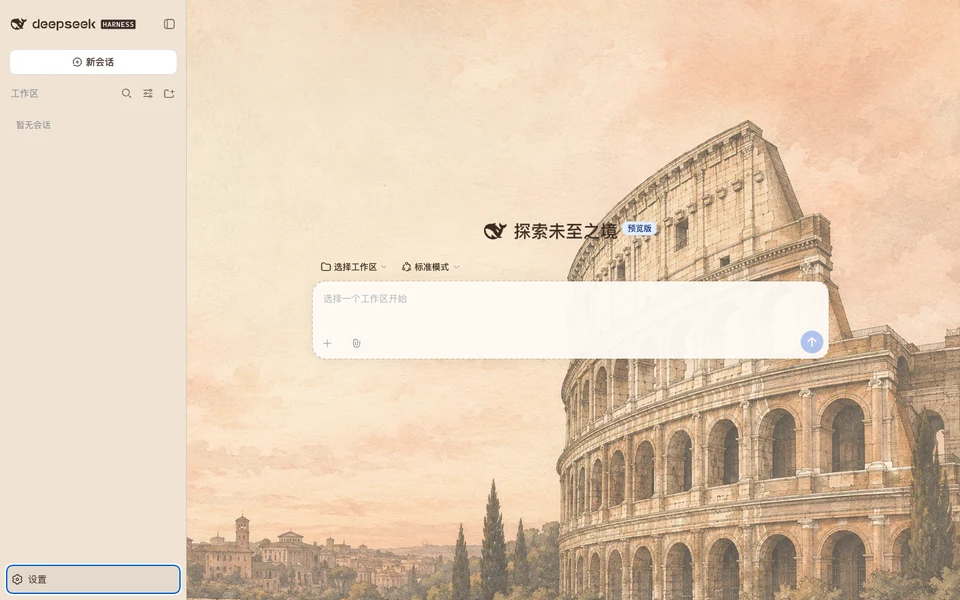
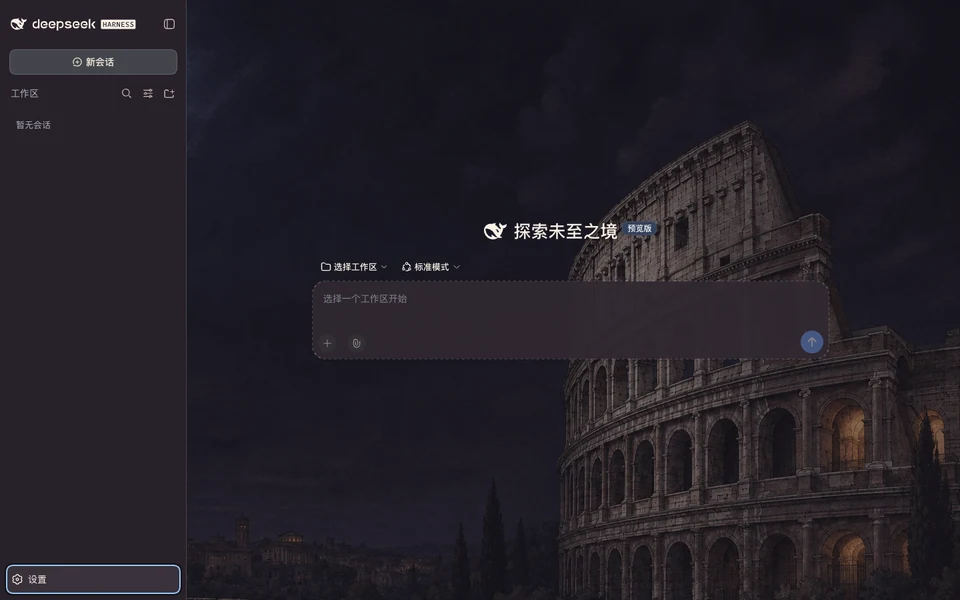
These images show the visual design. Check the current release details for the supported Harness version and installation instructions.
Versions
Full Skin- 1.0.0-alpha.2sha256:ee9c8e80629c1bbb4d…Latest
Recommended · Copy one task
Install with an Agent task
Copy this task to your Agent. It verifies the artifact before updating the DSH web profile.
- 01
Copy
Copy the task below. It lists the goal, exact inputs, execution steps, and safety limits.
- 02
Paste into your Agent
Paste it into an Agent that can access your DSH installation. It will confirm the inputs before making changes.
- 03
Restart when prompted
The Agent verifies the resolved web profile first. It then reports the rollback state and tells you when to restart DSH.
Copy the install task
Please install DSH Themes #2045 for me on DeepSeek Harness 0.1.3-alpha.1 built from official source commit d347e703908d0406b7a7ef80e3a0e594d86b2215.
Use this pinned Skill: https://github.com/LvvUP/dsh-themes-skills/blob/de956d98c80cf5ab60a78df0a534f9f29f348651/skills/dsh-theme-finder/SKILL.md
Resolve the exact number, check my installed version and the verified package, then install it. Explain required configuration, verify loading and keep removal or recovery instructions. If the number is retired or its package is not
verified, stop and explain the reason clearly.Advanced manual methodsManual CLI, direct .tgz download, compatibility manifest, and digest details.
Manual command after SHA-256 verification
RUNNER=/absolute/path/to/dsh-theme-manager/scripts/run-dsh.mjs
node "$RUNNER" plugin --profile web add /absolute/path/to/colosseum-travertine-1.0.0-alpha.2.tgz --save-exactKeep the previous exact verified artifact so the Agent Skill can restore it. Do not run the manual command before comparing the complete .tgz digest.
Compatibility manifest
- Tested DSH version
- 0.1.3-alpha.1
- Tested commit
- d347e703908d0406b7a7ef80e3a0e594d86b2215
- Token catalog hash
- fe38fdb18dae76f3cc93e3ca3a37bb1916f207180781b1aa8321ee2ddadcb926
- Downloaded .tgz SHA-256
- ee9c8e80629c1bbb4d0fc34742f65e470b8112de64d3913209d4fd3ea4bff8fc
- Canonical payload SHA-256
- 7b78ab6377796997bd840842ef0a3063586dea69798caaf5ce7ea67546af5f70