Skip to content
YOUR DEEPSEEK HARNESS, REIMAGINED
13 / 13

Make Harness feel like yours.

Find your look, add useful plugins, and make DeepSeek Harness work your way. Preview Themes and Full Skins, explore 100 selected Plugins, then copy an installation prompt to get started.
Light
  1. #F2F8F4
  2. #FCFFFD
  3. #E4F0E8
  4. #FFFFFF
  5. #CAE0D1
  6. #9FC2AA
  7. #087851
  8. #173B2E
  9. #527363
  10. #B93B46
  11. #087851
  12. #8A650D
  13. #DDECE2
Dark
  1. #06120D
  2. #0B1C14
  3. #10271C
  4. #143224
  5. #214A35
  6. #327052
  7. #41D99C
  8. #E5FFF3
  9. #A6CCB7
  10. #FF7581
  11. #41D99C
  12. #F3D06D
  13. #071710
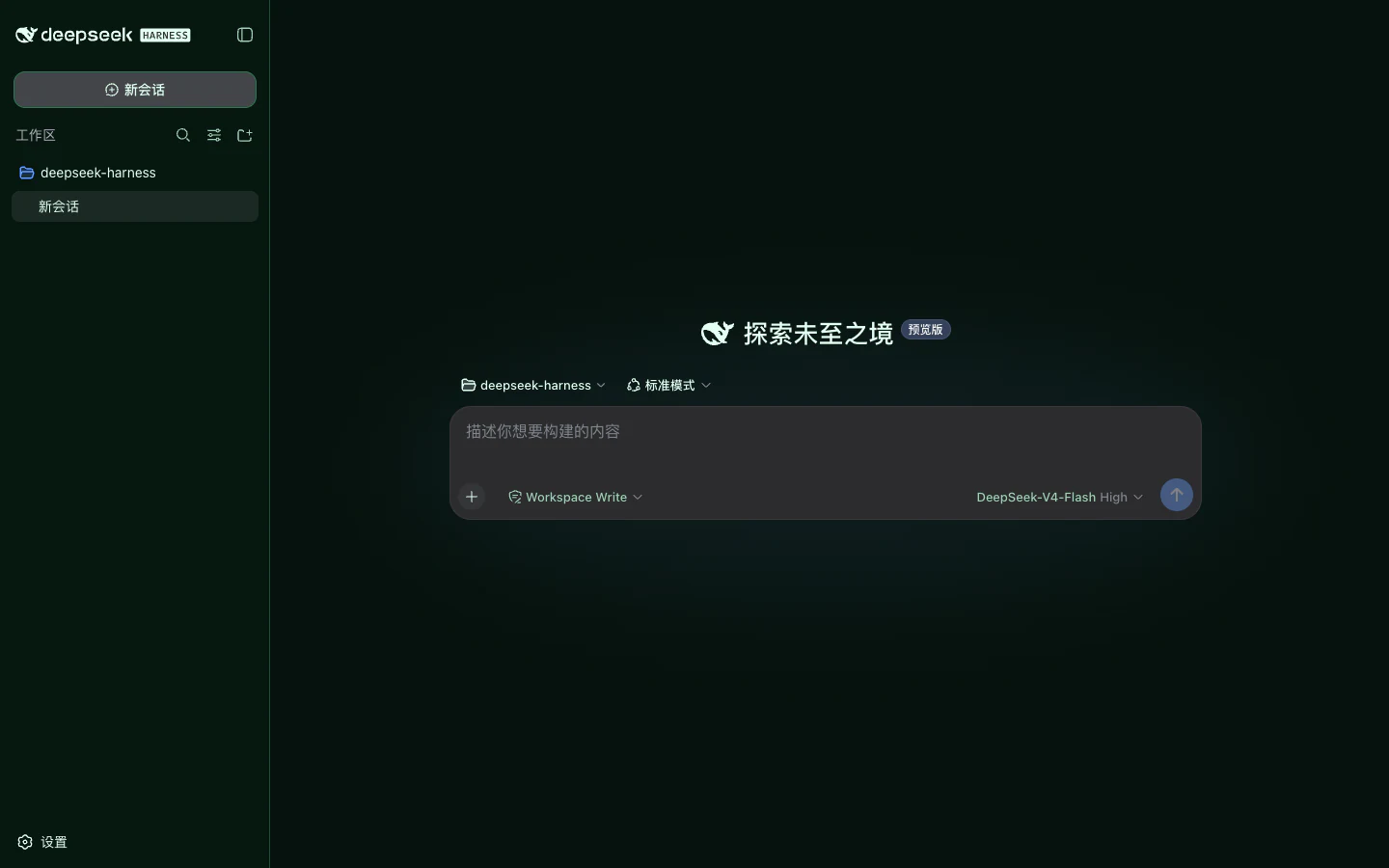
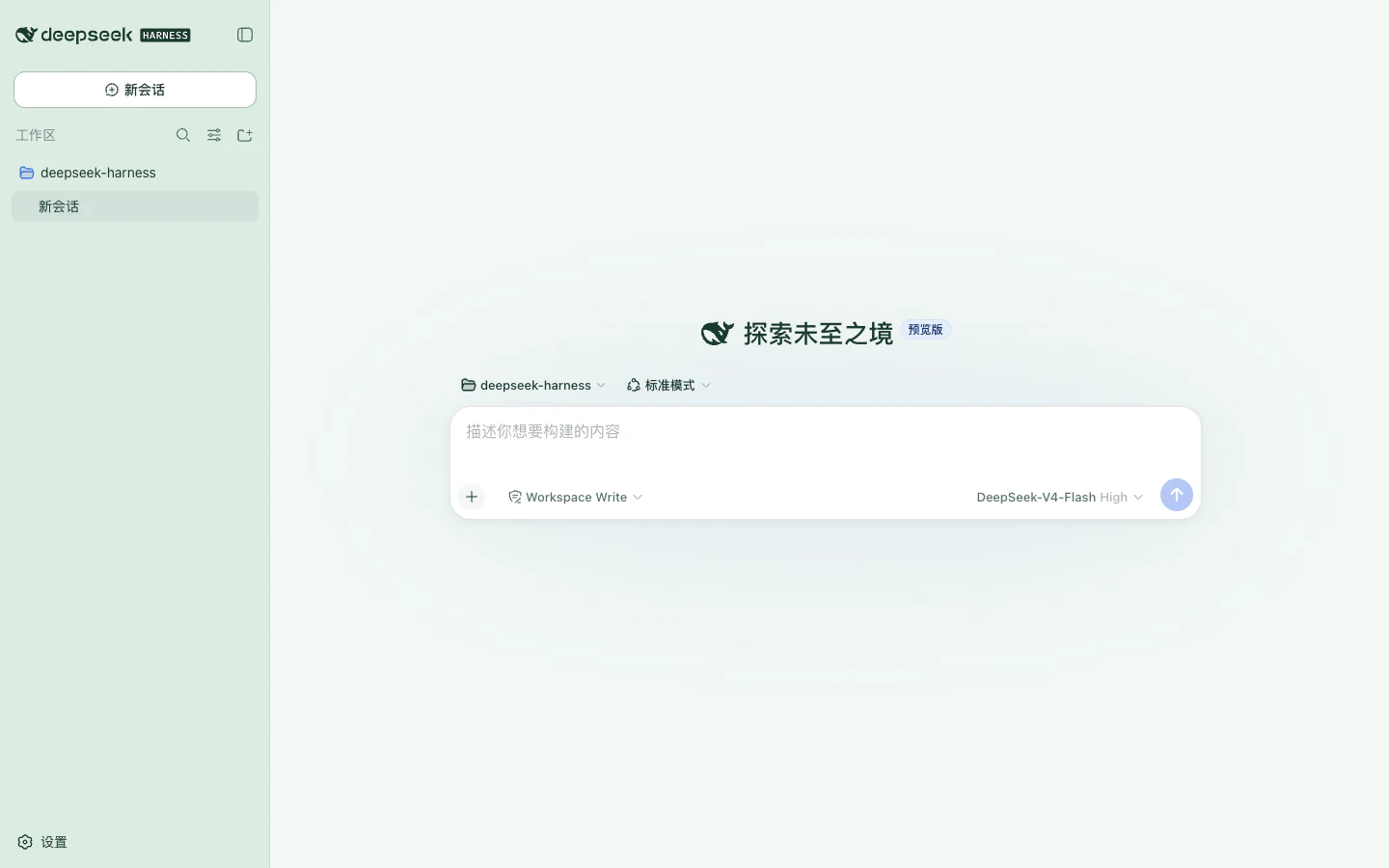
Light
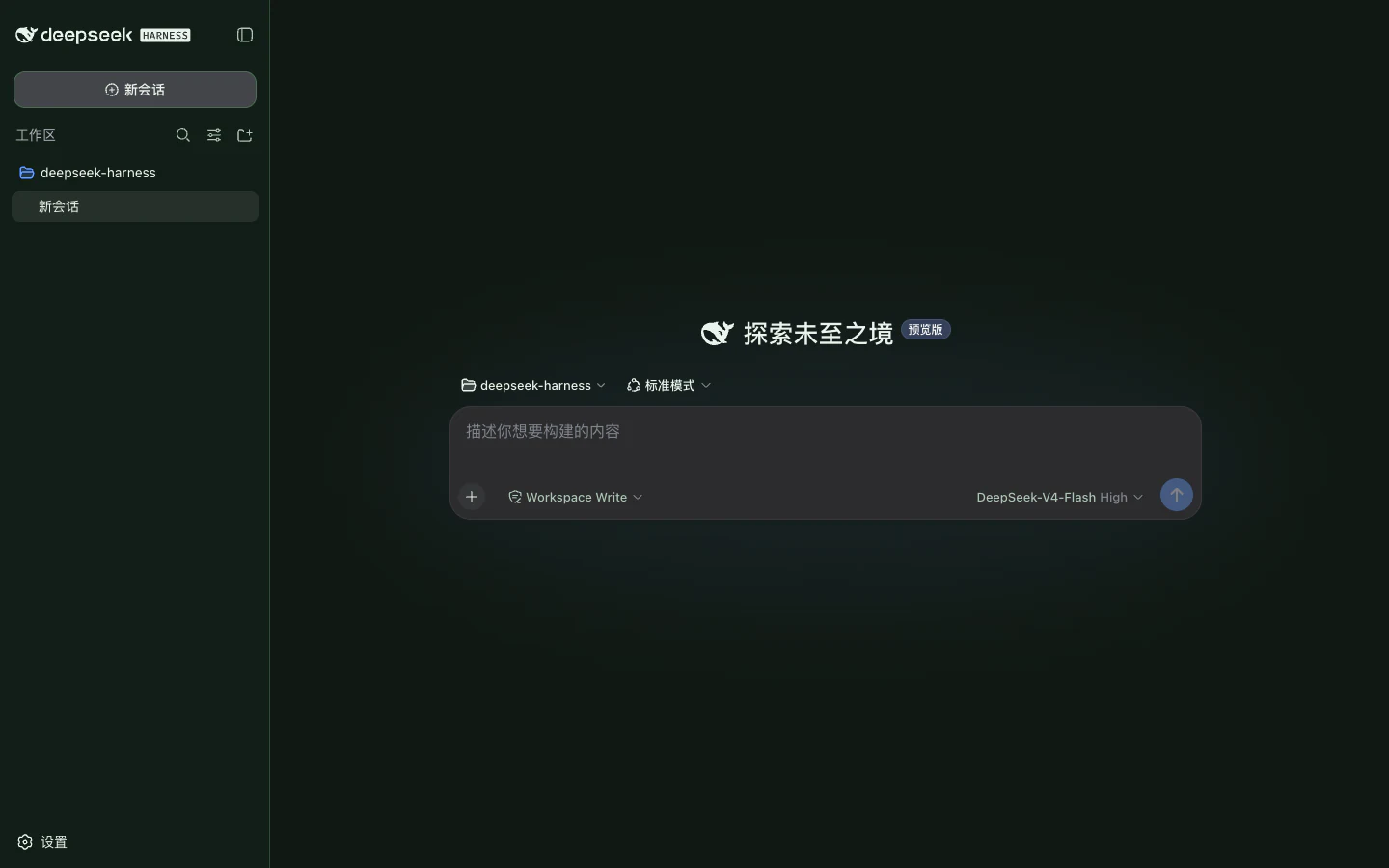
Cool jade status colors sit on charcoal surfaces.
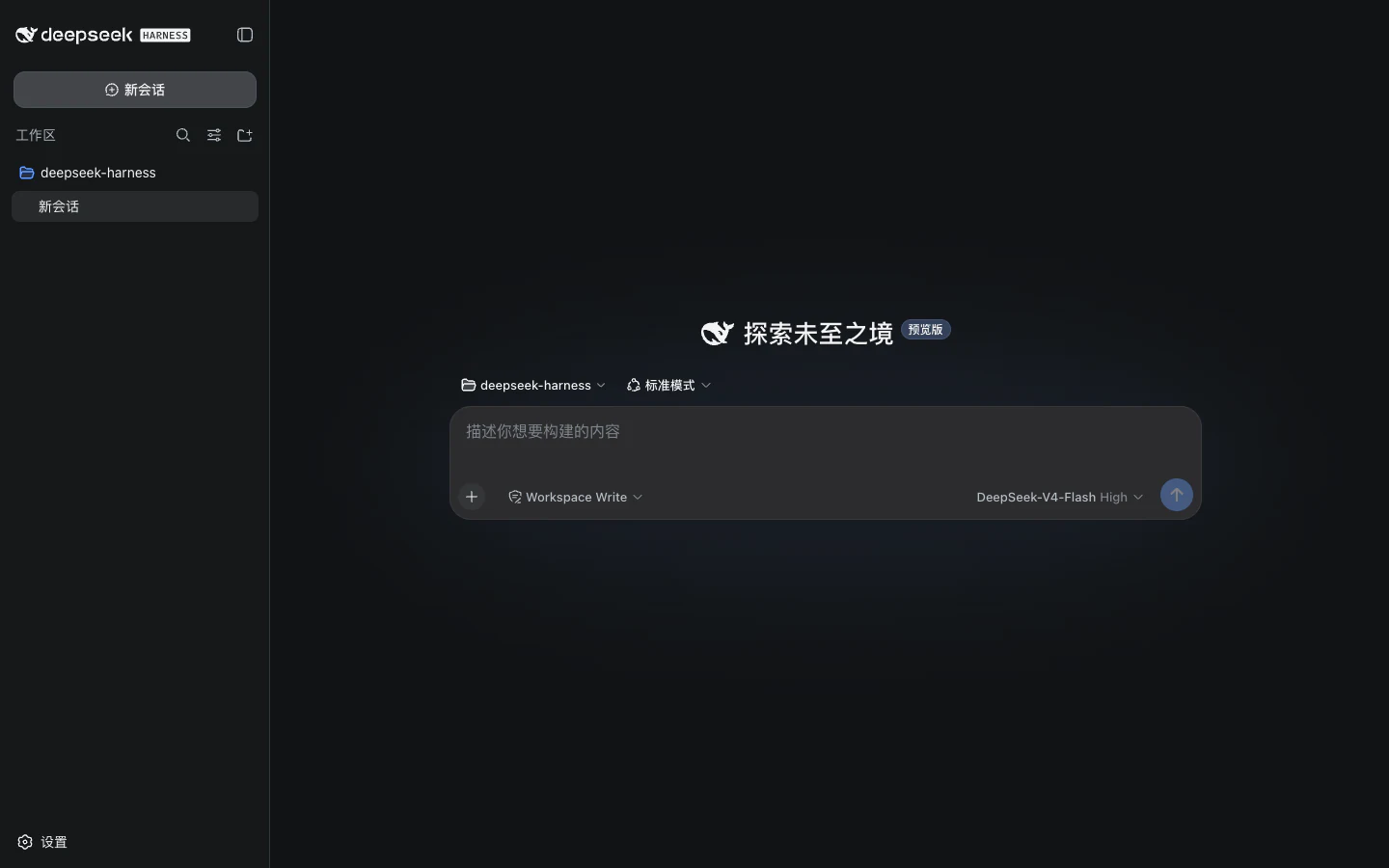
Dark
Cool jade status colors sit on charcoal surfaces.

JADE CIRCUIT · PREVIEW LIGHT AND DARK

Start with a theme you like

Harness version
0.1.3-alpha.1
First setup
Build the fixed official source
Install an item
Copy its Agent prompt

DEEPSEEK HARNESS · START HERE

What is DeepSeek Harness?

DeepSeek Harness is a local Agent workbench. It connects a model to tools, a workspace, permissions, and a persistent session, then presents that workflow through profiles such as the Web UI.

In plain language

The model handles reasoning. DeepSeek Harness provides the tools, permissions, session history, and interface.

Read the beginner guide

Harness features are composed as plugins

Cordis composes the models, tools, Agent loop, session log, Web service, and browser UI.
Profiles shape the product

The web and headless profiles assemble different ordered plugin bundles from the same services.

Actions stay observable

Workspace access follows permission policy, while messages, steps, and tool results become session events.

A beginner's mental model
  1. 01Model
  2. 02Agent loop
  3. 03Tools & policy
  4. 04Session & UI

DeepSeek Harness is in Developer Preview. DSH Themes is an independent community project, not affiliated with or endorsed by DeepSeek AI.

Turn your artwork into a Full Skin

Upload an original image, set its focus and surface treatment, refine the generated dual-mode palette, and submit a declarative draft for review.

Open Full Skin Studio
01

Upload

02

Focus & style

03

Palette

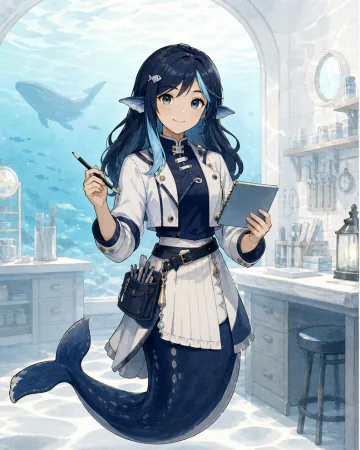
Light
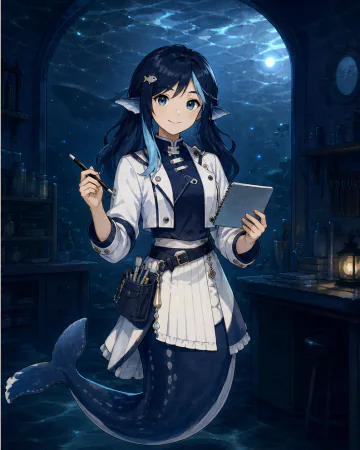
Light and dark illustrations of the same whale workshop technician
Dark
Light and dark illustrations of the same whale workshop technician
  1. #EAF6FFD9
  2. #FFFFFFE8
  3. #D9EEFFE0
  4. #F8FCFFF0
  5. #A8D6F0
  6. #68B3DD
  7. #0A75D8
  8. #082A45
  9. #3D6680
  10. #B8334A
  11. #087A66
  12. #96600D
  13. #D7EDFAE8

Published Themes

Find a palette you enjoy. Compare light and dark previews, then open a Theme for compatibility and installation details.

View all
Public #NNNN ID #1005Theme
Light
Jade Circuit preview
Dark
Jade Circuit preview
Jade Circuit

Compatible

Jade Circuit

Cool jade status colors sit on charcoal surfaces.
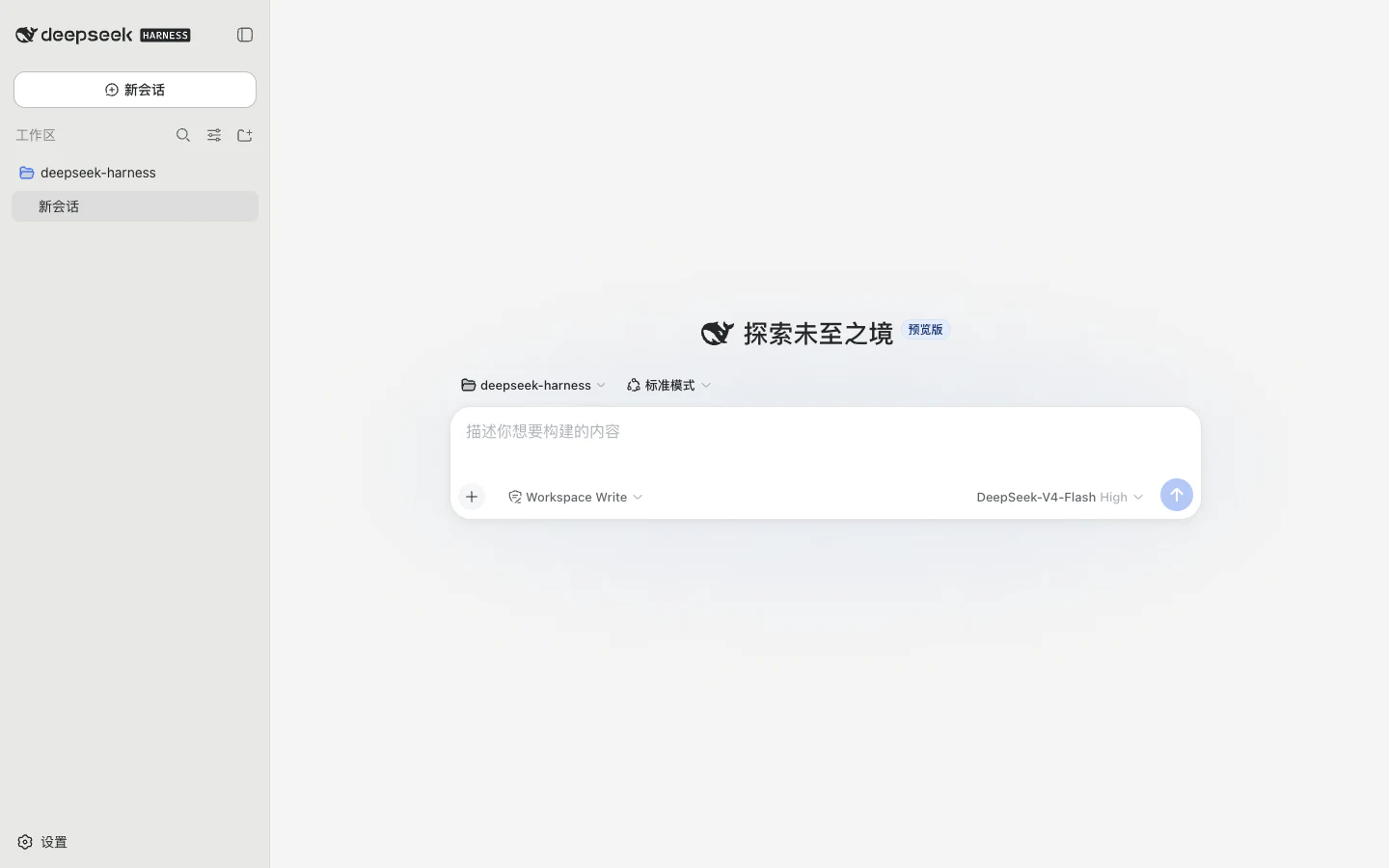
  1. #F2F8F4
  2. #FCFFFD
  3. #E4F0E8
  4. #FFFFFF
  5. #CAE0D1
  6. #9FC2AA
  7. #087851
  8. #173B2E
  9. #527363
  10. #B93B46
  11. #087851
  12. #8A650D
  13. #DDECE2
Version
1.2.1-alpha.1
Compatible
DSH 0.1.3-alpha.1
Public #NNNN ID #1002Theme
Light
Graphite Relay preview
Dark
Graphite Relay preview
Graphite Relay

Compatible

Graphite Relay

A restrained graphite palette separates dense log content.
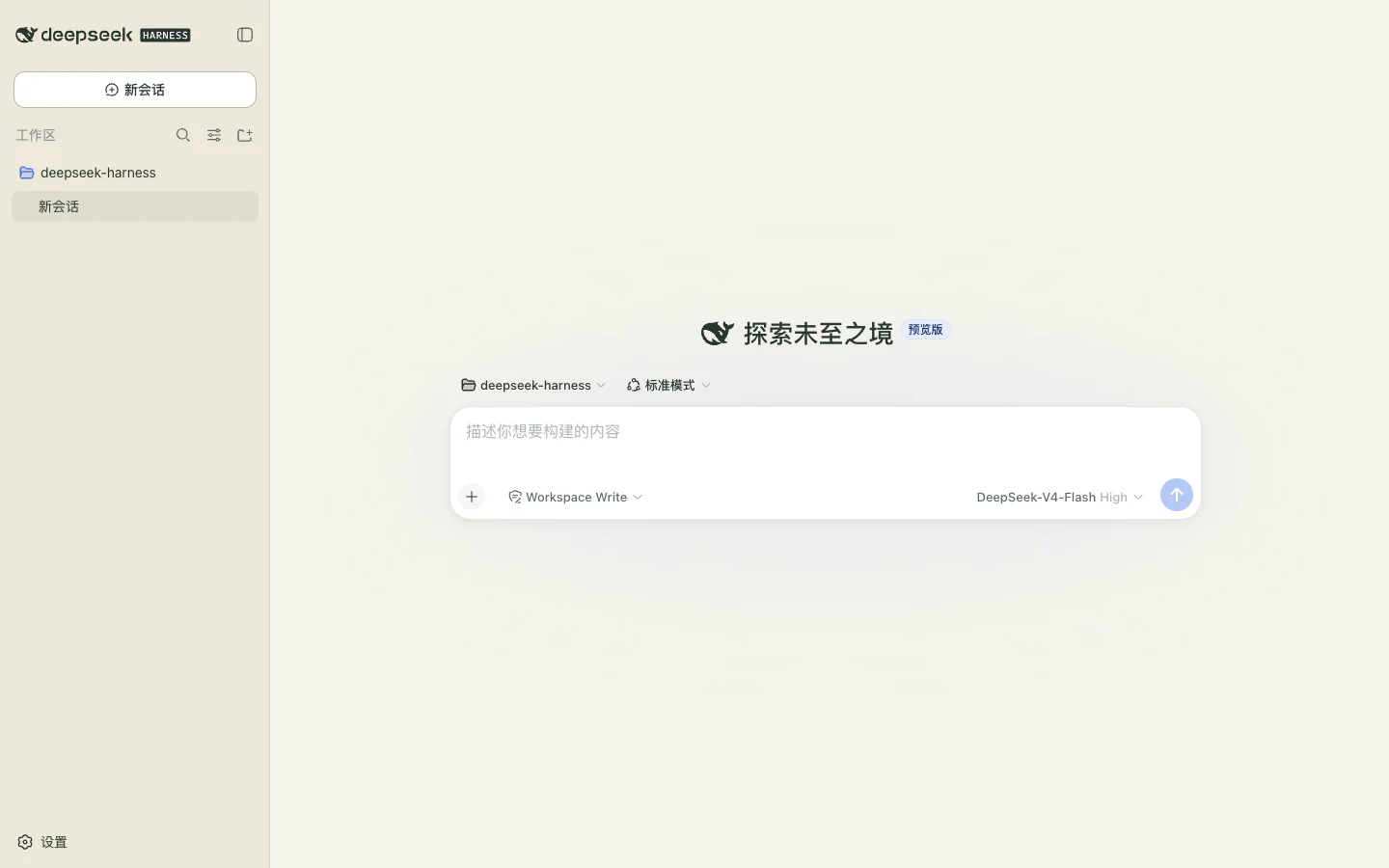
  1. #F5F5F4
  2. #FFFFFF
  3. #ECECEA
  4. #FFFFFF
  5. #DADAD6
  6. #BEBFBA
  7. #315EAE
  8. #242729
  9. #60666B
  10. #B33A45
  11. #347258
  12. #91620E
  13. #E8E8E5
Version
1.2.1-alpha.1
Compatible
DSH 0.1.3-alpha.1
Public #NNNN ID #1003Theme
Light
Paper Console preview
Dark
Paper Console preview
Paper Console

Compatible

Paper Console

Warm paper surfaces with ink-like labels and precise green actions.

  1. #F7F5ED
  2. #FFFEFA
  3. #EFEBDD
  4. #FFFDF6
  5. #DDD7C5
  6. #BFB7A0
  7. #24704D
  8. #26372D
  9. #5D6C63
  10. #B23D42
  11. #26704D
  12. #926615
  13. #ECE8D9
Version
1.2.1-alpha.1
Compatible
DSH 0.1.3-alpha.1

Full Skins

A complete change of atmosphere, from the conversation canvas to the smallest interface detail. Preview each Full Skin in light and dark.
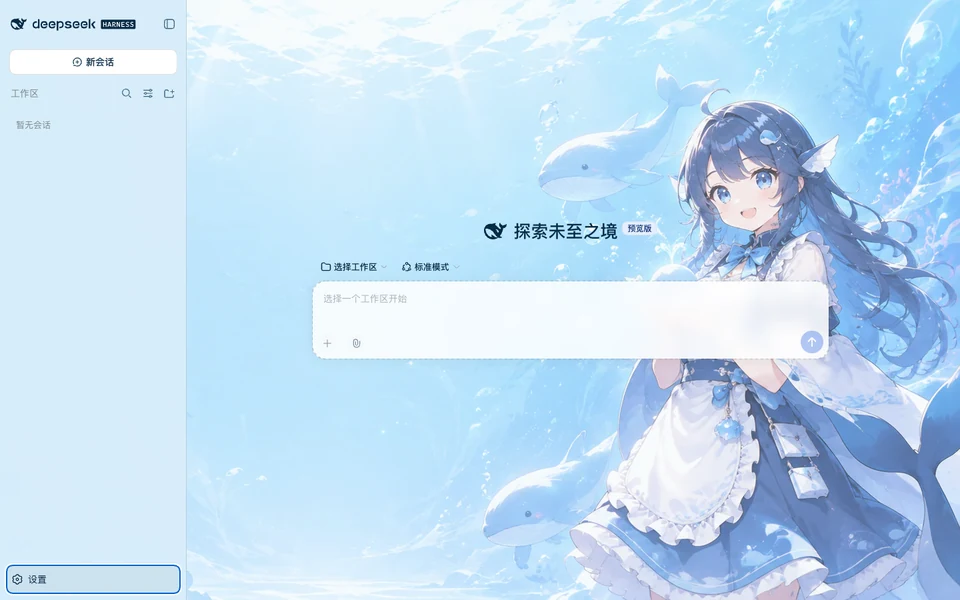
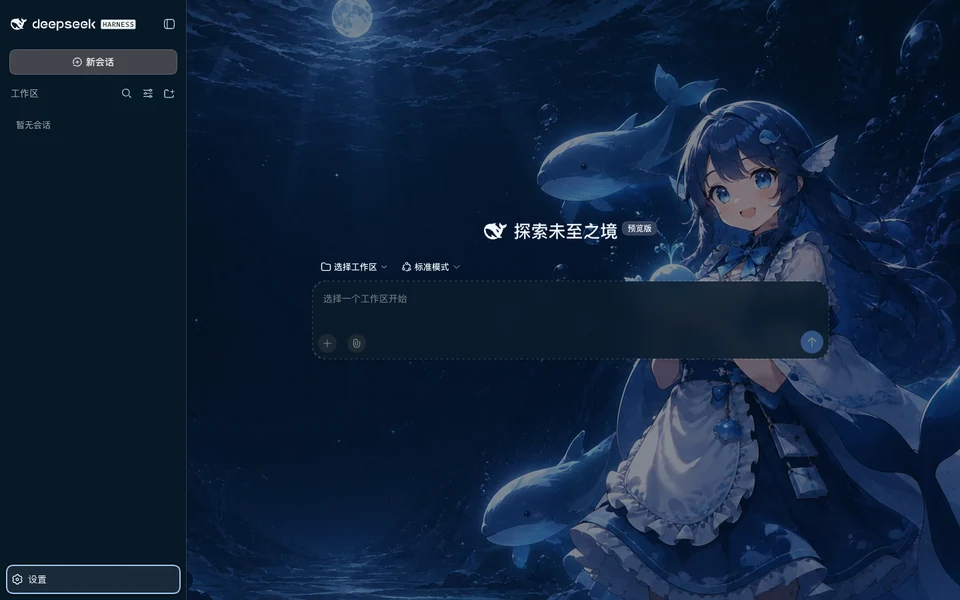
View all
Public #NNNN ID #2001Skin
Light
Abyssal Maid preview
Dark
Abyssal Maid preview
Abyssal Maid
CompatibleFull Skin

A cheerful original whale-inspired anime attendant and tiny blue whales brighten a calm underwater workspace, with separate daylight and deep-ocean night artwork.

  1. #061321E8
  2. #0A1C2BE6
  3. #102A40E0
  4. #15344CEB
  5. #2A6382
  6. #55A9D2
  7. #56C5FF
  8. #F2FAFF
  9. #B4D5E8
  10. #FF8294
  11. #56E2BD
  12. #FFD078
  13. #071827EB

DSH Themes · CC-BY-4.0

Public #NNNN ID #2003Skin
Light
Redline 02 preview
Dark
Redline 02 preview
Redline 02
CompatibleFull Skin

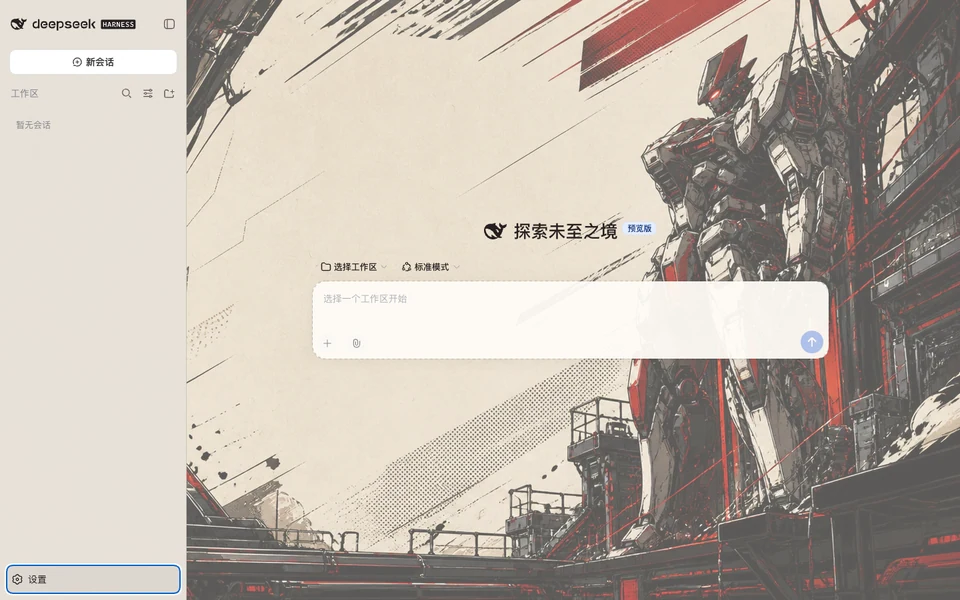
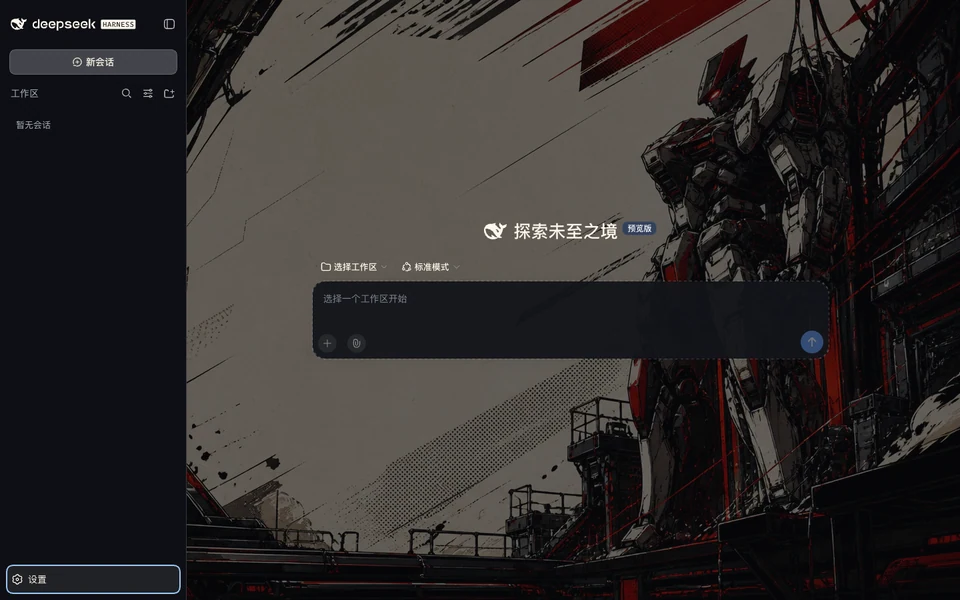
An original manga-mecha hangar drawn with inked mechanical linework, cel-shaded armor, halftone paper, and disciplined red signals.

  1. #08090CF7
  2. #12141AF5
  3. #1E2028F3
  4. #292B34F4
  5. #454A55
  6. #B94149
  7. #FF5A61
  8. #FFF6EB
  9. #C9BFC0
  10. #FF6070
  11. #66D99A
  12. #FFC45E
  13. #0D0F14F6

DSH Themes · CC-BY-4.0

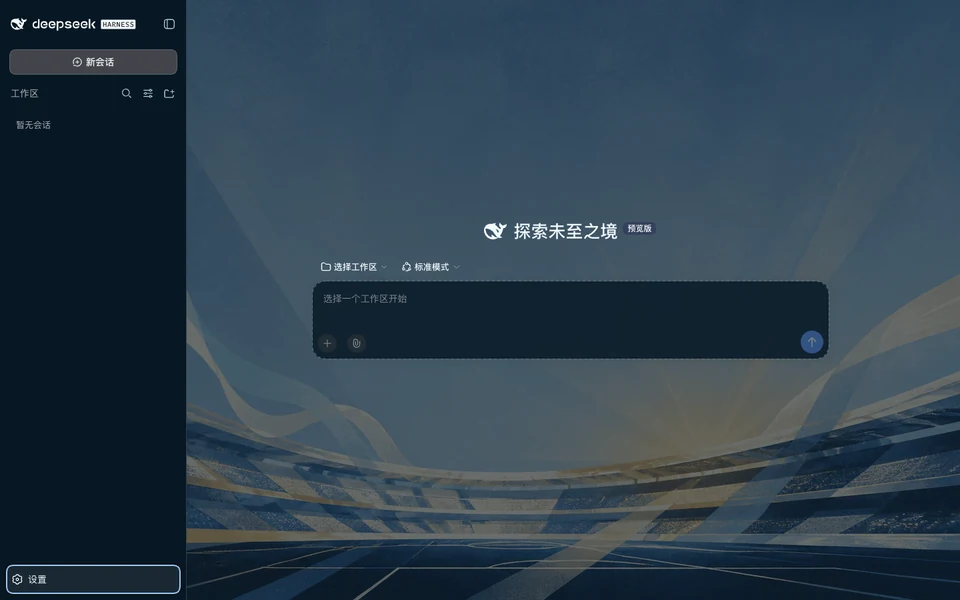
Public #NNNN ID #2009Skin
Light
Argentina Matchday preview
Dark
Argentina Matchday preview
Argentina Matchday
CompatibleFull Skin

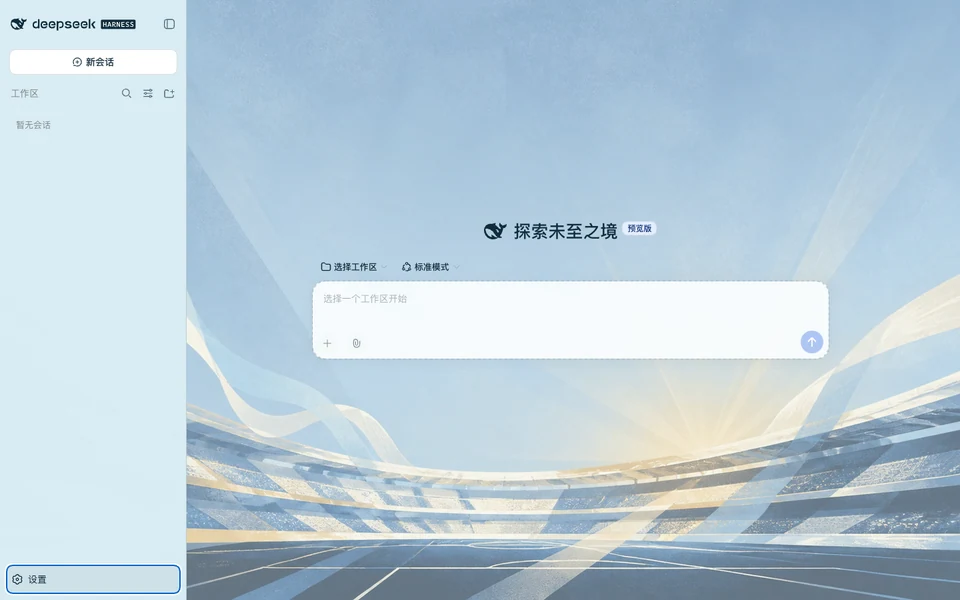
Sky-blue and white matchday calm with an abstract sun and crisp sporting-editorial structure.

  1. #06111AF7
  2. #0B1D2AF5
  3. #102A3DF3
  4. #17374CF4
  5. #2D5970
  6. #4D9FC4
  7. #77D3F4
  8. #F2FAFD
  9. #AECBD7
  10. #FF8493
  11. #63D5B0
  12. #F6CB6A
  13. #071723F6

DSH Themes · CC-BY-4.0

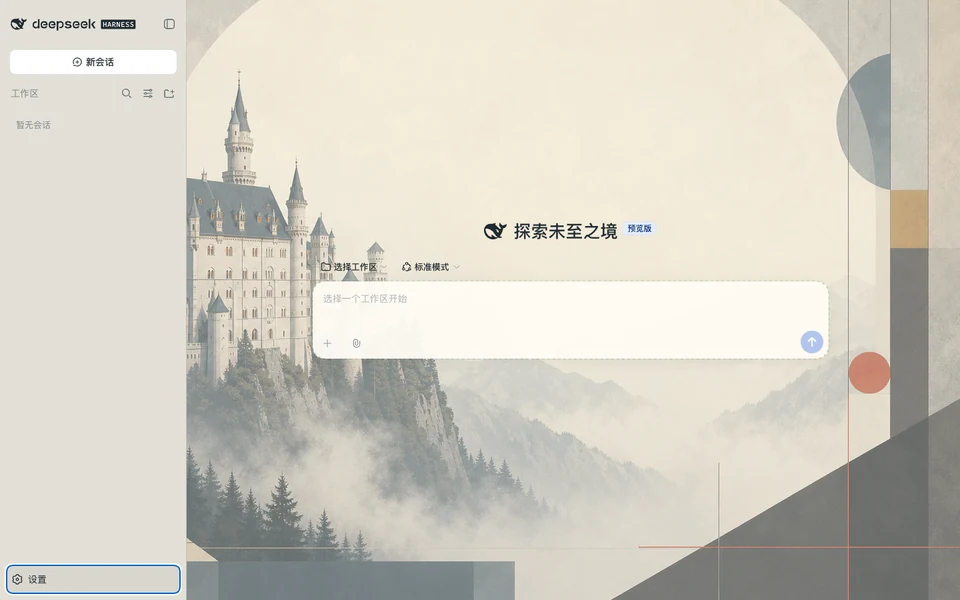
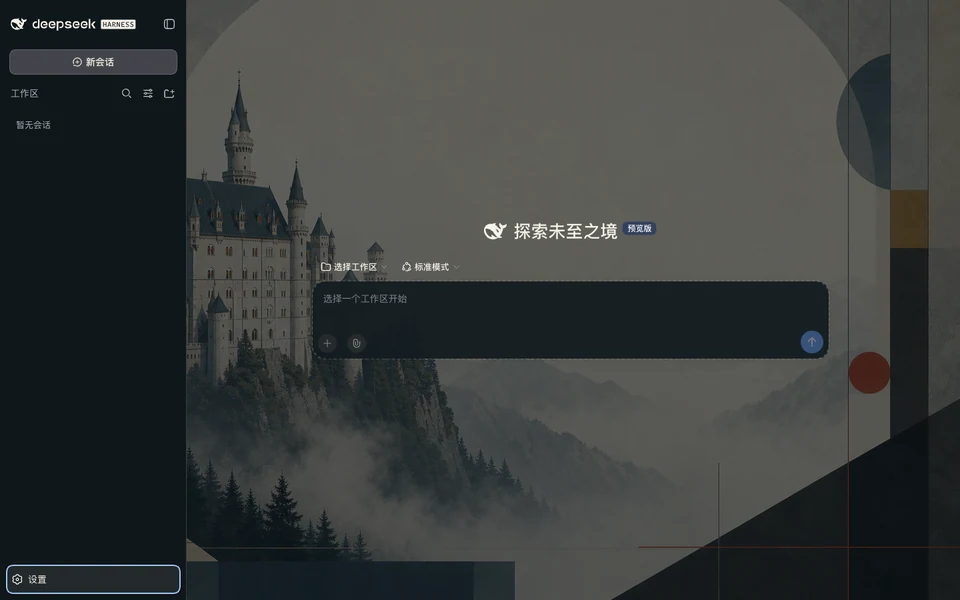
Public #NNNN ID #2011Skin
Light
Swanstone Modern preview
Dark
Swanstone Modern preview
Swanstone Modern
CompatibleFull Skin

Neuschwanstein romance framed by modern German editorial order and restrained Bauhaus geometry.

  1. #0B1114F7
  2. #131C20F5
  3. #1B282DF3
  4. #24343AF4
  5. #40545A
  6. #718E95
  7. #E36A47
  8. #F6F2E9
  9. #BFC9C9
  10. #FF827F
  11. #79CFA8
  12. #EBCB75
  13. #0F171AF6

DSH Themes · CC-BY-4.0

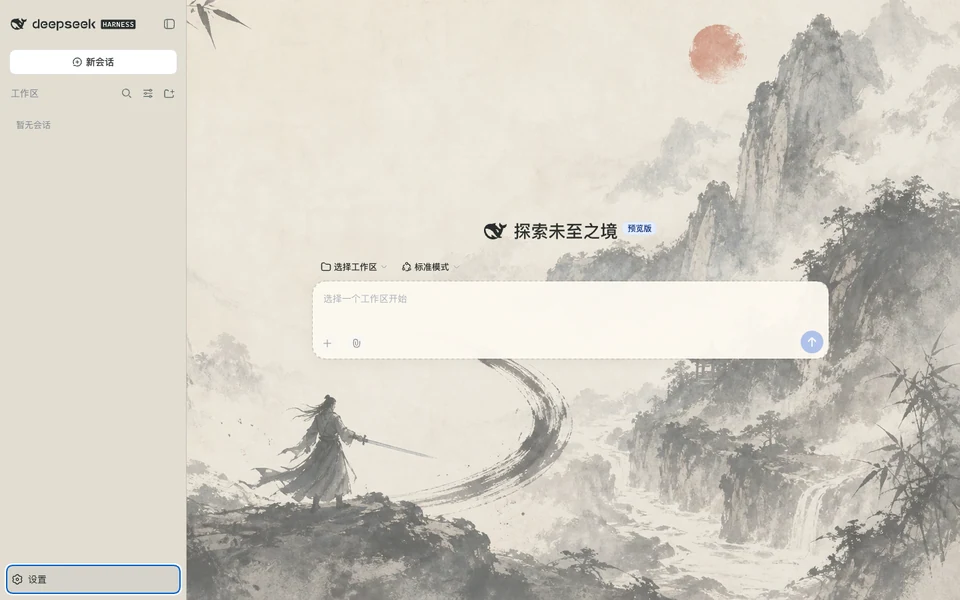
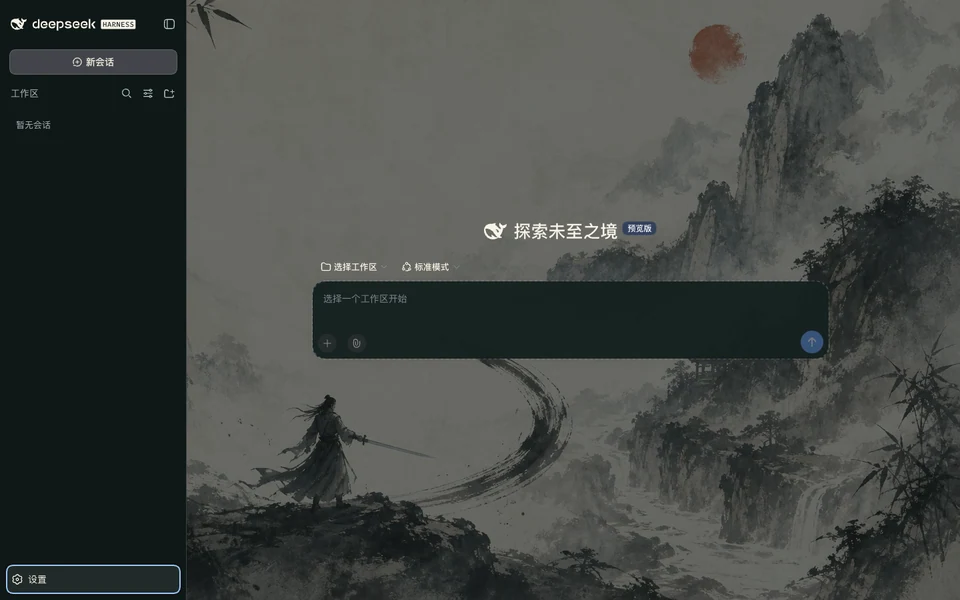
Public #NNNN ID #2023Skin
Light
Jianghu Ink preview
Dark
Jianghu Ink preview
Jianghu Ink
CompatibleFull Skin

An original Chinese ink-wash wuxia skin with misted mountains, flowing brushwork and a lone wandering swordsman.

  1. #0B1212F7
  2. #14201FF5
  3. #1E2E2CF3
  4. #2B3E3AF4
  5. #475F5A
  6. #739088
  7. #78C7A9
  8. #F8F3E7
  9. #BECBC6
  10. #FF7E78
  11. #77CEA0
  12. #E7C974
  13. #0F1817F6

DSH Themes · CC-BY-4.0

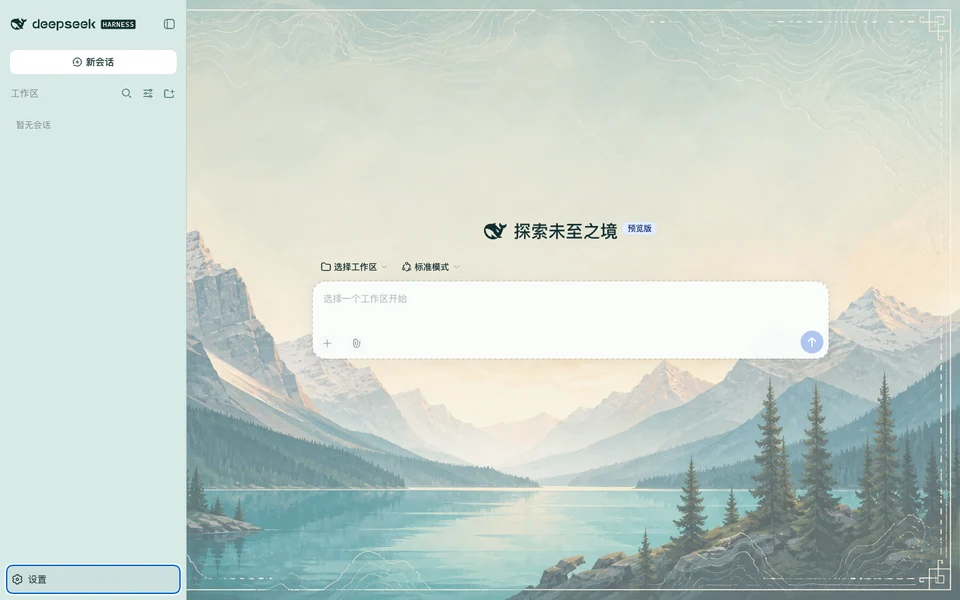
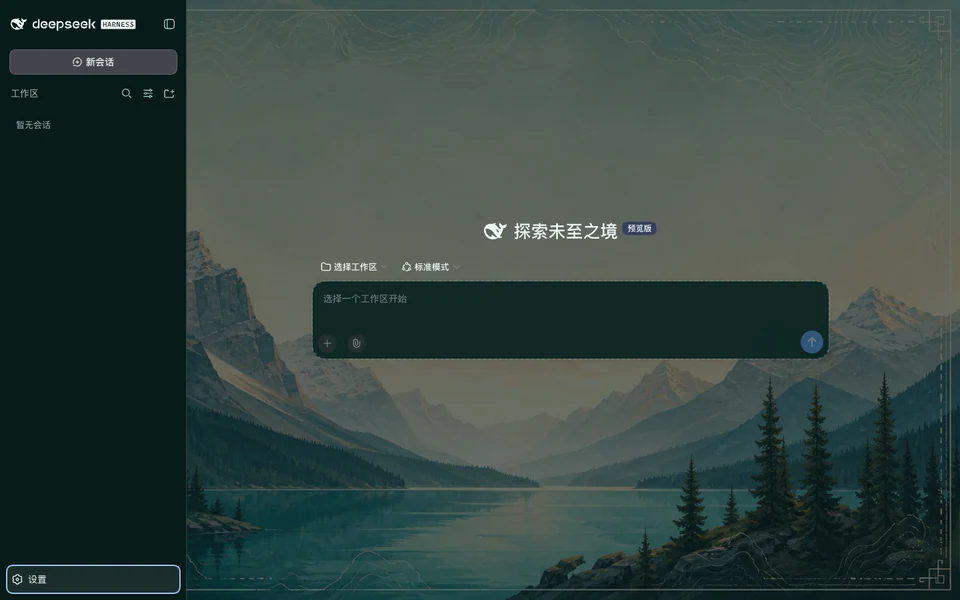
Public #NNNN ID #2012Skin
Light
Banff Alpine preview
Dark
Banff Alpine preview
Banff Alpine
CompatibleFull Skin

Alpine lakes, glacial light, and topographic poster layers inspired by Banff National Park.

  1. #041413F7
  2. #092321F5
  3. #0E302DF3
  4. #14423DF4
  5. #265D57
  6. #3F998D
  7. #65D6C5
  8. #EFFBF7
  9. #A8CEC6
  10. #FF8492
  11. #62D5A6
  12. #F4CC6A
  13. #061B19F6

DSH Themes · CC-BY-4.0

Make it yours, one step at a time

Choose an appearance or a useful tool, copy its numbered task, and let your Agent guide the installation. Review any required accounts or configuration before you begin.

Read the engineering report
Choose the change you need

Choose the change you need

Themes adjust colors; Skins change the visual atmosphere; Plugins add tools for your workflow.

Check that it fits your setup

Each item shows its compatible Harness version and setup requirements. Your Agent checks these before installing.

Keep a way back

Restart Harness when needed and check the result. The installation task keeps instructions to remove the item or restore your previous setup.

From a catalog number to your workspace

Copy the task for the item you want. Your Agent guides you through the steps below.

  • Find the item by its #NNNN number
  • Check the Harness version and package
  • Explain any accounts, keys, or setup you need
  • Install once the checks pass
  • Restart when needed and check that it loads
  • Keep removal or recovery instructions
See the install flow

Submit a Theme, Full Skin, or visual concept

Submit a declarative Theme, a Full Skin draft, or a visual concept. We review ownership, compatibility, safety, contrast, and real runtime previews before publication.

Submit your work

Declarative submission flow

Submit a Theme, Full Skin, or visual concept
Declaration format

Theme or Full Skin draft

Visual references

Creator-supplied declaration and reviewed image references

Ownership, compatibility, safety, contrast, and runtime evidence are reviewed before publication.

Only an approved submission receives publisher-attached package metadata.

Before you change the UI

Can this website directly change my local Harness?

The website itself cannot change your local Harness. Copy an item’s #NNNN installation task to your Agent, which checks your setup and the selected package before installing. If the package is not ready for installation, it explains what is missing.

Does a theme switch require a restart?

Installing, removing, or switching a DSH Themes package requires a restart in the current Developer Preview. Switching light, dark, or system inside an already installed theme follows the normal Appearance control and does not require another package install.

Can submitted themes run arbitrary code?

No. Submissions are declarative. The site generates the adapters and constrained CSS, accepts only reviewed content-addressed images and allowlisted selectors, and rejects dependencies, lifecycle scripts, external URLs, imports, and arbitrary code.

What happens when DeepSeek Harness changes its tokens?

The current compatibility claim stays pinned and is not extended automatically. Each theme must pass the new token catalog and real DSH verification before maintainers publish an updated compatibility record.

What is the difference between a Theme and a Skin?

A Theme changes the 13 interface color roles. A Skin can also change backgrounds and the visual layout. Open an item to compare its previews, check the supported appearance modes, and see how to install it.