Registro de calibración de artefactos
13 / 13Rastro solar
Una consola de luz diurna con advertencias cálidas y paneles en capas de bajo brillo.
Prueba de compatibilidad
- Paquete DSH
- 0.1.3-alpha.1
- Huella digital del token
- fe38fdb18dae76f3cc93e3ca3a37bb1916f207180781b1aa8321ee2ddadcb926
- Resumen del paquete
- 9ddf2ac972b802d1070b583f0a84e9b559b0e1605de2b1e258763e4baab0e2f8
Valores semánticos exactos
Claro / Oscuro- #FFF7F1
- #FFFFFF
- #FCE9DC
- #FFFCF9
- #E9D4C6
- #CFAE99
- #C84F24
- #48291D
- #765B4E
- #B72F3D
- #39734E
- #9B5807
- #F9E6D9
- #1A100D
- #241612
- #312019
- #3A261E
- #53382C
- #76513F
- #FF956B
- #FFF1E9
- #CEB3A6
- #FF7680
- #72D19A
- #FFC062
- #1E120F
Registro de procedencia
- ID pública de #NNNN
- #1004
- Categoría de apariencia
- solar
- Autor
- DSH Themes
- Licencia
- MIT
- Vista previa de la fuente
- Captura de tiempo de ejecución DSH aislada
- Fuente de derechos
- No declarado
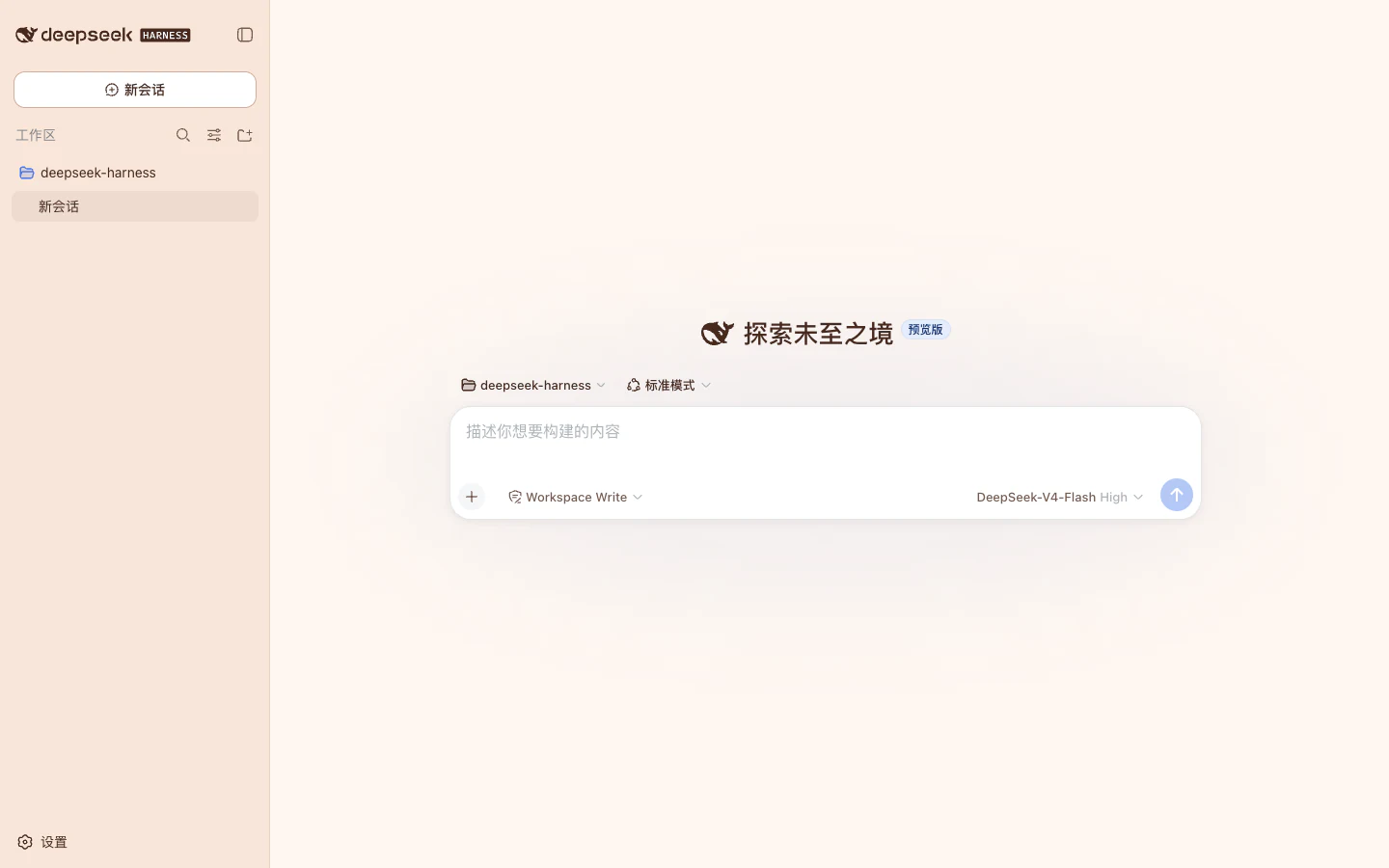
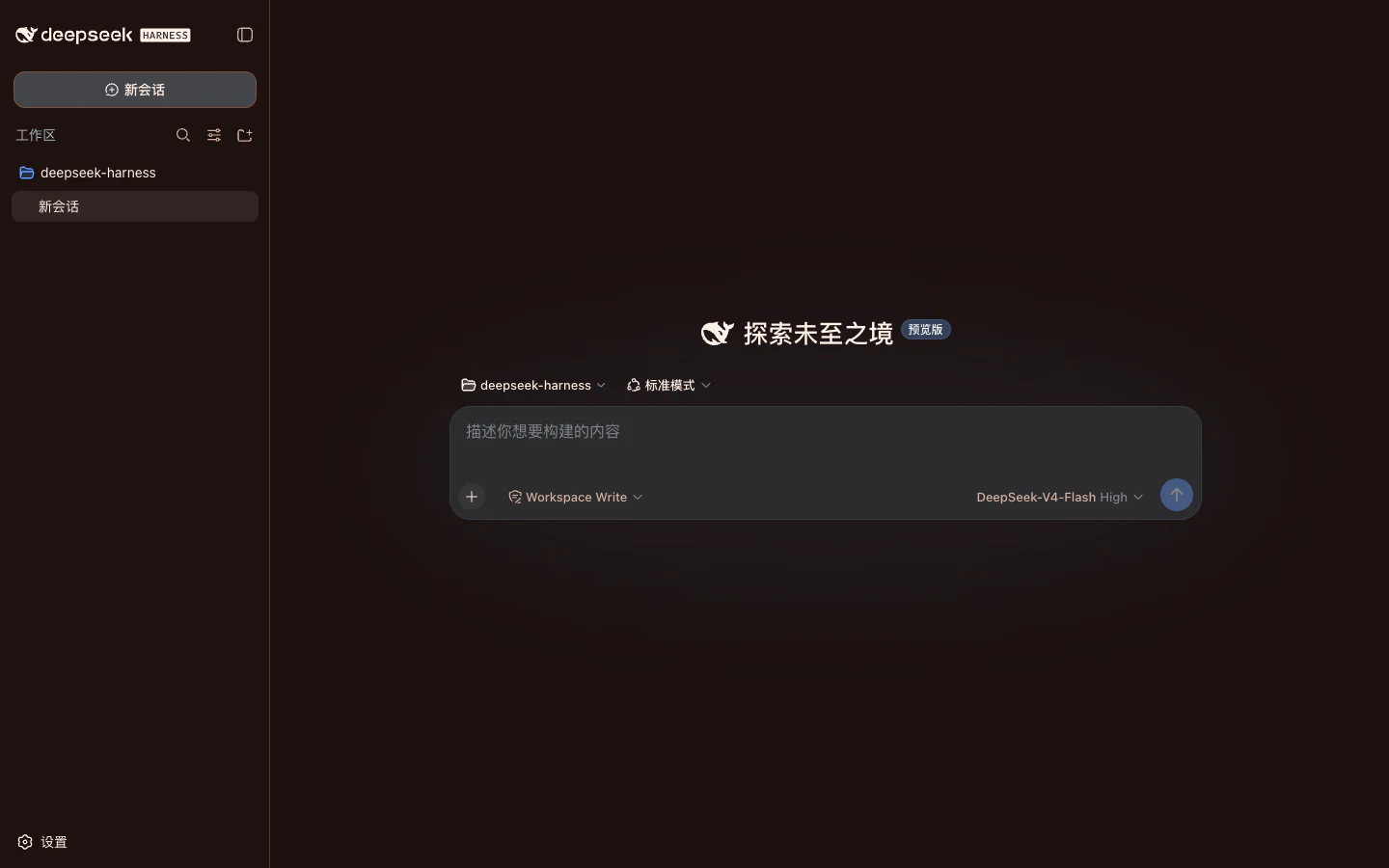
Estas imágenes muestran el diseño visual. Consulte los detalles de la versión actual para conocer la versión de Harness compatible y las instrucciones de instalación.
Versiones
- 1.2.1-alpha.1sha256:9ddf2ac972b802d107…Último
Recomendado · Copiar una tarea
Instalar con una tarea de Agente
Copie esta tarea a su Agente. Verifica el artefacto antes de actualizar el perfil web de DSH.
- 01
Copiar
Copie la tarea a continuación. Enumera el objetivo, las entradas exactas, los pasos de ejecución y los límites de seguridad.
- 02
Pegar en su Agente
Péguelo en un Agente que pueda acceder a su instalación DSH. Confirmará las entradas antes de realizar cambios.
- 03
Reiniciar cuando se le solicite
El Agente verifica primero el perfil web resuelto. Luego informa el estado de reversión y le indica cuándo reiniciar DSH.
Copie la tarea de instalación
Instala DSH Themes #1004 en DeepSeek Harness 0.1.3-alpha.1 compilado desde el commit oficial d347e703908d0406b7a7ef80e3a0e594d86b2215.
Utiliza este Skill fijado: https://github.com/LvvUP/dsh-themes-skills/blob/de956d98c80cf5ab60a78df0a534f9f29f348651/skills/dsh-theme-finder/SKILL.md
Resuelve el número exacto, comprueba mi versión y el paquete verificado e instálalo. Explica la configuración necesaria, verifica que carga y conserva los pasos para quitarlo o restaurarlo. Si el número salió de la selección o el paquete no
está verificado, detente y explica el motivo.Métodos manuales avanzadosCLI manual, descarga directa de .tgz, manifiesto de compatibilidad y detalles de resumen.
Comando manual después de la verificación SHA-256
RUNNER=/absolute/path/to/dsh-theme-manager/scripts/run-dsh.mjs
node "$RUNNER" plugin --profile web add /absolute/path/to/solar-trace-1.2.1-alpha.1.tgz --save-exactConserve el artefacto verificado exactamente anterior para que Agent Skill pueda restaurarlo. No ejecute el comando manual antes de comparar el resumen .tgz completo.
Manifiesto de compatibilidad
- Versión DSH probada
- 0.1.3-alpha.1
- Compromiso probado
- d347e703908d0406b7a7ef80e3a0e594d86b2215
- Hash del catálogo de tokens
- fe38fdb18dae76f3cc93e3ca3a37bb1916f207180781b1aa8321ee2ddadcb926
- Descargado .tgz SHA-256
- 9ddf2ac972b802d1070b583f0a84e9b559b0e1605de2b1e258763e4baab0e2f8
- Carga útil canónica SHA-256
- c8df21e17787892a78e6c114ac3f480428c2a82afc57aead2b16c0d47a8cc87c